
Discover how Google Ads Remarketing brings interested visitors back. Learn how to choose audiences, messages and budgets that support more sales.
Google Ads Remarketing: How to Bring Visitors Back to Buy
Google Ads Remarketing helps you reconnect with people who have already shown interest in your business but have not taken the next step. You paid for a visit, someone explored your offer, and then they left. That does not always mean rejection. They might be comparing options, waiting for the right moment or looking for an answer they could not find.
In this article from Grow Easy, we will explore how to turn that initial interest into another opportunity for a purchase or enquiry. Read on to discover what you need to prepare before investing your budget.
How Does Google Ads Remarketing Work?
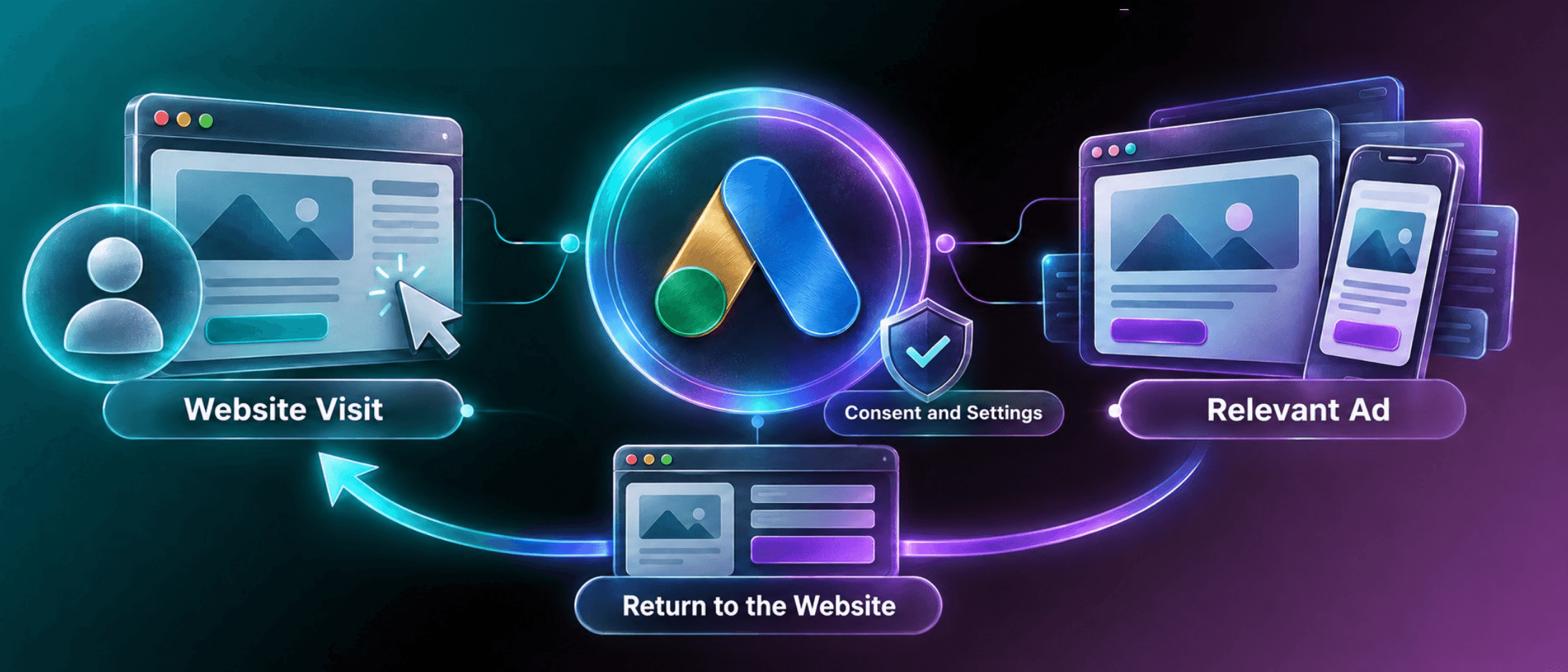
With Google Ads Remarketing, you use audiences of people who have previously interacted with your website or business to show them relevant ads. For example, someone may have viewed a service without submitting an enquiry. You can then reach them with a message that explains the process or addresses a common concern.
Depending on your campaign, ads can appear on websites and apps or during subsequent searches. However, you cannot automatically reach every visitor. You need an eligible audience, the right settings and compliance with the requirements for using customer data.
What Should You Prepare Before Google Ads Remarketing?
Successful Google Ads Remarketing starts with a clear goal: a purchase, a submitted form or another action that matters to your business. Next, check whether your tracking measures the completed action. Clicking an enquiry button, for example, does not necessarily mean someone submitted the form.
If you treat these actions as equivalent, you could make decisions based on misleading results. Check the page you will bring visitors back to as well. Does it load quickly, work smoothly on mobile and clearly explain your offer?
Before investing more in advertising campaign management, address the issues that already prevent visitors from becoming customers.
Consent and Audience Size Matter
For Google Ads Remarketing, data collection must respect the visitor’s choices. Google’s consent requirements apply to users in the European Economic Area, including requirements relating to personalised advertising.
Displaying a cookie notice does not, by itself, prove that your settings are correct. You also need to check whether your audience contains enough eligible active users for your chosen advertising channel. The number of website visits is not the same as the number of people you can reach with an ad.
If your website receives limited traffic, overly narrow audiences can make it difficult to get started. Check their eligibility status in your advertising account before launching.
Which Audiences Should You Choose for Google Ads Remarketing?
With Google Ads Remarketing, showing every visitor the same message rarely makes sense. Someone who reads an informative article may still be researching, while someone who adds a product to their basket has shown a more specific interest.
Start with a few clear groups: people who viewed a product or service, people who started an order and people who already purchased. Exclude existing buyers from ads for the same purchase when repeating the offer would serve no purpose. Set the audience membership period according to how long customers typically need to decide. An everyday purchase and an expensive professional service follow different timelines.
When planning online advertising, customer behaviour is a more useful starting point than an arbitrary timeframe.

What Messages Work for Google Ads Remarketing?
Google Ads Remarketing lets you continue the conversation where the visitor left off. If they explored a service, explain what it includes, how the process works or how pricing is determined.
If they abandoned their basket, clarify delivery, payment or return conditions when those might be barriers. Do not automatically lead with a discount. Sometimes the missing ingredient is confidence rather than a lower price.
Use a specific benefit and a clear next step. Your ad and landing page should make the same promise. Only describe an offer as limited when there is a genuine deadline or restriction.
You can also explore organic content optimisation to make your website’s information clearer and more useful before visitors return.
How Should You Set a Budget for Google Ads Remarketing?
Your Google Ads Remarketing budget should reflect your audience size, purchase value and acceptable customer acquisition cost. A small audience does not become larger when you increase spending, and repeatedly showing the same ad can become frustrating.
Start with a controlled budget and monitor spending, results and ad frequency where your campaign provides those metrics and settings. If purchases are not increasing, review the message and offer before adding more money.

When we optimise an advertising budget, the goal is to find a sustainable balance between what you spend and the value your business receives.
How Do You Evaluate Google Ads Remarketing Results?
To evaluate Google Ads Remarketing, look beyond clicks. Consider how many purchases or qualified enquiries you receive, their value and what they cost. For service businesses, track whether enquiries become paying customers. Compare equivalent periods and account for seasonality, promotions and website changes.
It is important to distinguish between the results reported by the advertising platform and the additional sales actually caused by the campaign. Some people may have returned and purchased without seeing another ad.
Where your volume allows, compare results with a group that does not receive the advertising. Test changes to your audience, message or landing page one at a time so you can understand what improves performance.

Give Interested Visitors a Clear Next Step
Google Ads Remarketing makes sense when it brings the right people back to an offer that meets their needs. Set up reliable tracking, choose audiences based on behaviour and use messages that help visitors make a decision.
Monitor costs and the quality of your results rather than treating every returning visit as a success. If you already attract visitors but lose opportunities between browsing and buying, let’s identify where the process breaks down.
Get in touch for a free consultation and share your website, goals and current challenges so we can discuss how remarketing could support your sales!